Patients wait too long. Staff do too much paperwork. Receptionists answer the same questions 50 times a day. Healthcare kiosk software, powered by a kiosk management system, fixes all three problems at once. It is fast, accurate, and always available.
Here is everything you need to know before you build one, including key aspects of healthcare CRM software development.
| $1.9B+ | 50%+ | 30%+ |
| Global kiosk market size in 2025 | Patients prefer kiosks over paper | Improvement in insurance data accuracy |
What Is A Healthcare Kiosk System?
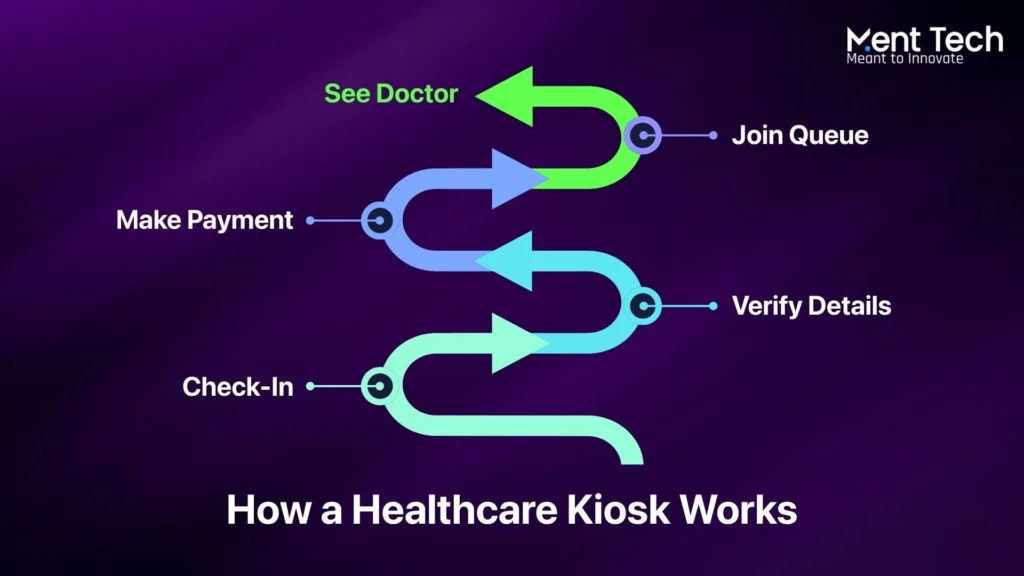
A healthcare kiosk is a self-service digital screen. It sits inside a hospital, clinic, pharmacy, or lab. Patients use it completely on their own. No receptionist. No paper forms. No queue at the front desk.
Think of it like a hotel check-in machine, but for hospitals. Patients walk in, tap a few buttons, and they are checked in. The kiosk already knows who they are, what appointment they have, and which insurance plan they carry.
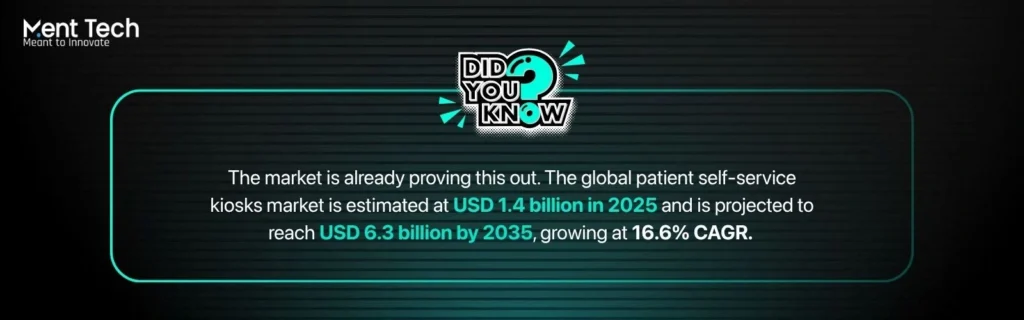
Did you know:
It connects to the hospital’s existing systems in real time. It talks to the patient database, links to payment tools, and plugs into appointment scheduling software. Everything flows automatically. No staff member needs to lift a finger for routine intake tasks.
Hospitals that deploy kiosks see faster patient flow, fewer admin errors, and noticeably better patient satisfaction scores. The technology is no longer experimental. It is now a standard part of modern healthcare operations.
Good Read: Want to understand how AI is already changing healthcare data? Read: Healthcare Data Management and AI’s Role in the Future
Key Features Of Healthcare Kiosk Software
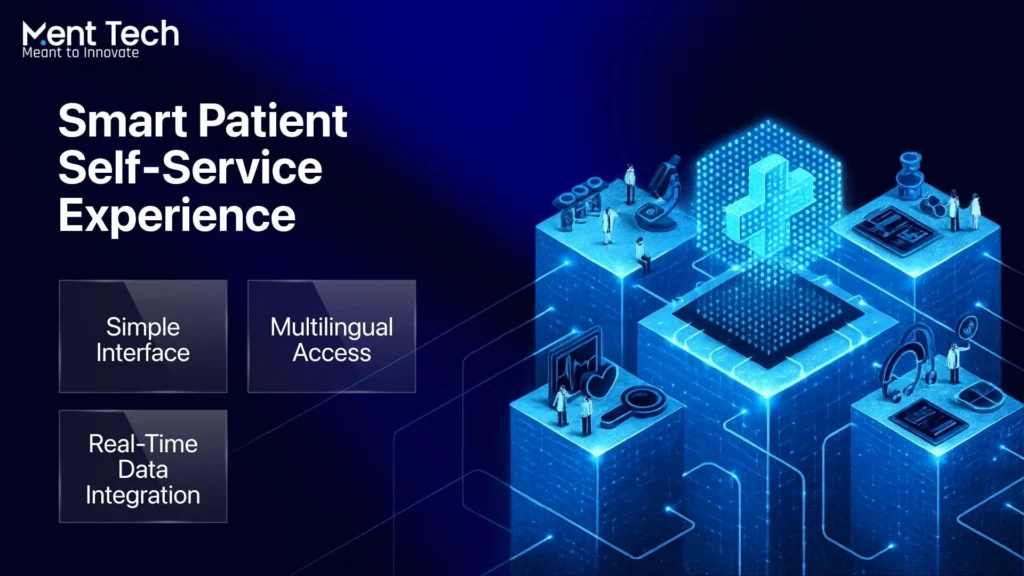
Not all kiosks are built the same. The best kiosk healthcare systems pack several powerful features into one smooth patient experience. Here is a breakdown of what each feature does and why it matters.
1. Patient Self Check-In
This is the foundation of any kiosk system. Patients verify who they are using a QR code, patient ID, or phone number. They confirm their appointment details, review their personal information, and sign consent forms digitally. The whole process takes under two minutes.
No clipboards. No handwriting. No staff needed to process the intake. The data goes directly into the patient record in real time. It is faster for the patient and far more accurate for the hospital.
Want a system that handles all of this automatically? Check out the Healthcare AI Platform built for exactly this.
2. Appointment Scheduling
- Book, reschedule, or cancel appointments directly at the kiosk
- See live wait times and real-time queue position on screen
- Receive alerts when your turn is approaching
- Reduces no-shows and cuts front desk call volume significantly
3. Insurance Verification
Manual insurance verification is one of the biggest time sinks in any clinic. Staff spend hours checking coverage, calling insurers, and fixing errors after the fact. A kiosk eliminates all of that.
The software connects to insurance APIs in real time. It checks patient coverage automatically before the visit even starts. If there is a problem, the patient sees it at the kiosk and can sort it out on the spot. With a kiosk management system, claim rejections drop sharply. Cash flow improves. Staff spend their time on things that actually matter.
Curious how AI platforms are transforming full business operations, not just one feature? Read this: How AI Platforms Transform Modern Business Operations
4. Payment Processing
- Patients pay co-pays, outstanding balances, or procedure fees directly at the kiosk
- Supports contactless, card swipe, chip, and mobile payment methods
- All flows are fully HIPAA and PCI-DSS compliant
- No card data is stored on the device at any point
5. EHR and EMR Integration
This is the most critical technical feature in any kiosk build. EHR stands for Electronic Health Record. EMR stands for Electronic Medical Record. When the kiosk connects to these systems, patient records update in real time without any manual entry.
No data gets typed in twice. No duplicate records are created. Errors that come from manual entry drop by over 30% in most deployments. The doctor sees updated patient information before they even walk into the room. That is a real clinical benefit, not just an administrative one.
Connecting kiosks to EHR, payment tools, and insurance APIs is the hardest part of any build. AI Integration Services handle all of that from day one.
6. Multilingual Support and Health Data Collection
- Multiple language options for diverse patient communities
- Reduces miscommunication and improves data accuracy at intake
- Collects blood pressure, weight, and temperature via connected devices
- Health data feeds automatically into the patient record before the appointment
7. Telehealth Access
Advanced kiosks now let patients connect with a doctor virtually, right from the kiosk screen. This feature is particularly valuable in remote or underserved areas where specialists are not available locally. Patients get real care without travelling long distances. It is one of the fastest-growing features in kiosk development today and is expected to become standard in most new deployments by 2027.
8. Queue Management
Queue management might sound simple, but it has a massive impact on patient experience. The kiosk assigns each patient a place in the digital queue after check-in. Patients see their estimated wait time on screen. They can sit down and relax instead of hovering anxiously at the front desk. When their turn approaches, they get a notification. Crowding in waiting areas drops. Frustration drops with it.
Benefits of healthcare kiosk software
1. Shorter Wait Times
Check-in at a kiosk takes under two minutes. In modern healthcare CRM software development, this kind of automation is becoming essential. Traditional front desk check-in often takes five to ten minutes per patient, especially when forms need to be filled or insurance needs to be checked manually.
Multiply that across a full day of patients and the kiosk saves hours every single day. Staff can redirect their attention to tasks that genuinely need human judgment.
2. Lower Operational Costs
Every manual step in the intake process costs money. In kiosk application development, reducing these touchpoints is a key goal. Staff time, paper, printing, filing, and error correction all add up.
When a kiosk handles intake automatically, those costs shrink. Hospitals that have deployed kiosks report meaningful drops in intake-related delays and overtime. The return on investment becomes clear within the first year for most mid-sized deployments.
3. Better Data Accuracy
Manual entry causes errors. Errors cause claim rejections. Claim rejections delay payment and create extra work. When patients enter their own data directly and it flows straight into the EHR without being touched by anyone else, accuracy improves dramatically.
Studies show over 30% improvement in insurance data accuracy after kiosk adoption. That has a direct impact on revenue.
4. Better Patient Experience
Patients want control. They want to move at their own pace, in their own language, without feeling rushed by a busy receptionist. A kiosk gives them that. Live queue updates reduce anxiety in waiting rooms. Digital consent forms mean no more scribbling on clipboards.
Fewer face-to-face interactions during high-volume times also lower the risk of spreading infections. Patient satisfaction scores consistently improve after kiosk adoption across hospitals of all sizes.
5. Scalability Across Multiple Locations
A well-built kiosk system is not just for one location. The same software can run across dozens of clinics and hospitals under one network. Administrators can push updates, monitor usage, and generate reports from a central dashboard.
As the organisation grows, the kiosk system grows with it. That is a major advantage for healthcare networks looking to standardise the patient experience at every site.
Healthcare Kiosk Development Costs in 2026
The total cost depends on how complex the system is, how many integrations it needs, and whether you build custom or buy off-the-shelf. Here is a clear breakdown.
System type Cost range Best for
Basic $10,000 to $25,000 Small clinics, pilot projects
Mid-level $25,000 to $80,000 Hospitals, multi-location clinics
Enterprise $80,000 to $150,000+ Large hospital networks
Hardware per unit costs an additional $5,000 to $25,000 depending on the components. A basic unit needs a touchscreen, a QR or barcode scanner, and a receipt printer. Advanced units add NFC readers, biometric scanners, and medical peripherals for taking vital signs.
More integrations mean more engineering time and higher cost. A kiosk that connects only to a scheduling tool is far cheaper to build than one that connects to an EHR, an insurance API, a payment gateway, and a queue management system simultaneously.
HIPAA and PCI-DSS compliance work must be built in from the start. Adding it at the end costs significantly more and often requires rebuilding parts of the system. Budget for it upfront. Development timelines typically run 2 to 6 months depending on complexity.
How To Build A Healthcare Kiosk System
There are 7 key stages to building a kiosk management system properly. Skipping any one of them creates problems that are ex
1. Define the Scope
Pick the one or two biggest problems to solve first. Long queues? Manual insurance checks? Start there. Do not try to build everything at once. A focused first version beats an overbuilt one that launches late.
2. Choose your Approach
Off-the-shelf for speed and lower cost. Custom for full control, deep integration, and long-term scale. The right choice depends on the size of your facility and how unique your workflows are.
3. Design the Interface
Keep every screen simple. One clear purpose per screen. Large tap targets for all age groups. Easy language switching. Patients of all technical abilities must be able to use it without help.
Every hospital has different workflows. A generic interface rarely fits. Custom AI Development builds it around your exact needs.
4. Build and Integrate
EHR connectivity is the most critical integration. Payment processing comes second. Both need careful, thorough testing before anything goes live. Do not rush this phase.
Thinking about the cost before you commit? Here’s something for you: How Much Does It Cost to Build a RAG System for Enterprise AI in 2026?
5. Security and Compliance Testing
Run HIPAA audits, encryption checks, and access control verification. Test every payment flow for PCI-DSS compliance. Wipe all session data after each patient use. Get a third-party security audit before launch.
6. Pilot Deployment
Start with one or two kiosks in a real environment. Watch actual patients use them. Identify friction points. Fix them before rolling out to more locations. Real-world use always reveals things that testing does not.
7. Monitor and Improve
Push remote updates and security patches regularly. In kiosk application development, continuous improvement is critical for long-term success. Analyse usage data to find where patients struggle. A good kiosk system is never truly finished. It keeps getting better after every update.
Compliance: What You Must Get Right
Compliance is not optional. It is not something you add at the end. It must be designed into the system from day one. Getting it wrong means fines, legal risk, and loss of patient trust.
1. HIPAA Compliance (USA)
- End-to-end encryption of all patient data, at rest and in transit
- Automatic session timeout and full data wipe after each patient interaction
- Role-based access control so only authorised staff can reach sensitive records
- Full audit logs that track every single user action on the system
2. PCI-DSS Compliance
No card data is ever stored on the device itself. All payment transactions use encrypted channels. Payment processors must be certified PCI-DSS Level 1 compliant. This is non-negotiable for any system that accepts card payments from patients.
3. GDPR Compliance
For facilities operating in Europe or serving European patients, GDPR requires clear patient consent before any personal data is collected. Patients must have the ability to view, correct, or delete their data.
The kiosk interface must explain clearly what data is being collected and why. Any third-party integrations that handle patient data must also be GDPR compliant.
4. ADA Accessibility Requirements
Kiosk screens must be positioned at a height that works for wheelchair users. Audio guidance must be available for visually impaired patients.
Large text options must be accessible without technical knowledge. Input methods must work for patients with limited hand mobility. These are not optional enhancements. They are legal requirements under the Americans with Disabilities Act.
Custom Vs Off-the-Shelf: Which One Do You Need?
This is one of the first decisions to make in kiosk healthcare and it affects everything that follows. There is no universally right answer. It depends on your size, your budget, and how unique your workflows are.
Off-the-shelf
- Faster to deploy, often within weeks
- Lower upfront cost
- Good fit for small clinics and pilots
- Built-in modules for standard workflows
- Limited customization and integration depth
Custom built
- Built exactly around your unique workflows
- Deep EHR, EMR, and system integration
- Scales cleanly across multiple locations
- Full compliance and security control
- Higher upfront cost, stronger long-term ROI
Small clinics and pilot programmes are well served by off-the-shelf products. They deploy fast, cost less, and handle standard intake workflows well. For large hospitals and multi-location healthcare networks, custom development is almost always the better long-term investment.
It fits your exact workflows, integrates deeply with your existing systems, and scales without running into the limitations of a generic product.
What Hardware Does A Healthcare Kiosk Need?
The software is only half of the system. In a health kiosk system, the hardware matters just as much. The wrong hardware slows patients down and creates maintenance headaches. Here is what a well-specced kiosk unit typically includes.
Every kiosk needs a high-brightness touchscreen that works well under different lighting conditions. A barcode or QR code scanner is essential for fast patient identification. A receipt printer allows patients to get a physical confirmation of payment or appointment details. An NFC reader enables contactless payment.
Advanced units go further. Biometric readers can verify patient identity using fingerprint or facial recognition. Medical peripherals like blood pressure cuffs, weight scales, and thermometers can feed vital signs directly into the patient record. Each added peripheral raises the hardware cost and the integration complexity, but also delivers real clinical value.
The Right Time To Build Is Now
Patients expect faster, smoother service at every touchpoint. Hospitals need to cut costs and reduce errors at the same time. The technology is mature. The compliance frameworks are clear. The business case is proven across thousands of real deployments.
Every month you wait is a month of unnecessary intake delays, manual errors, and frustrated patients. Facilities that move now build an operational advantage that compounds over time. The question is not whether to deploy kiosk technology. It is how fast you can get started.
Not sure where to start or what to prioritise first? AI Consulting & Strategy helps you build the right plan before you spend anything.