Get three quotes for an AI agent MVP, and you could see $8,000 on one end and $100,000+ on the other. Nobody is overcharging; they are just building different things. Quotes for AI Agent MVP Costs vary this much because vendors often price at very different levels for the same request.
A demo is easy. Sample data, a scripted flow, done in days. An MVP is harder; it has to survive real business data, live integrations, and users who do not follow the script. That is where the extra cost quietly shows up.
This blog breaks down what actually drives AI agent development costs at each stage, from a basic proof of concept to something production-ready, and separates the one-time build from what you keep paying for after launch.
How Much Does an AI Agent MVP Cost in 2026?
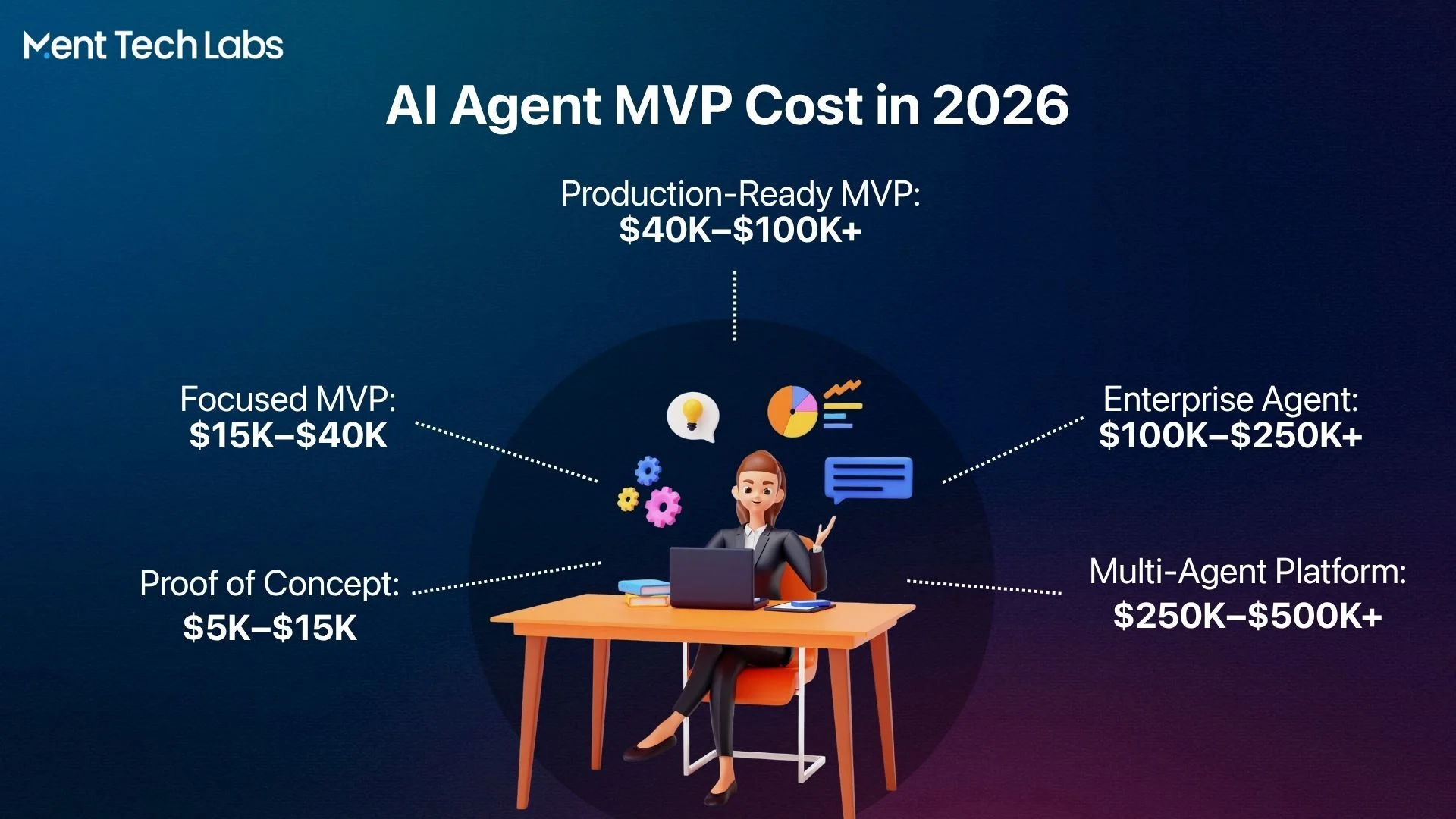
AI Agent MVP costs range from $5,000 to $500,000+, largely because “AI agent” now encompasses everything from a quick experiment to a full enterprise system. Break it into tiers, and the numbers start making sense.
- Basic Proof of Concept ($5,000-$15,000)
Just technical validation here. One narrow workflow, sample data, and enough testing to see if the approach even holds up. No real integrations, no security work, no actual users yet. Cheap way to de-risk an idea before spending more.
- Focused AI Agent MVP ($15,000-$40,000)
This is where most real builds begin. A working retrieval setup pulling from real documents, an interface people can actually use, a couple of integrations with tools you already run. The question stops being “does this work?” and becomes “is this worth building on?”
- Production-Ready MVP ($40,000-$100,000+)
Once real users start relying on it, the cost shifts. Access control, monitoring, error handling, and integrations solid enough to survive real traffic instead of a rehearsed demo. You’re basically paying for everything a demo never had to face.
- Enterprise AI Agent ($100,000-$250,000+)
At this scale, the agent is wired into core systems like CRMs or ERPs, often across workflows spanning several departments. More compliance, tighter access permissions, more testing everywhere it touches.
- Multi-Agent Platform ($250,000-$500,000+)
Multiple agents are coordinating with each other, sharing context, and handling different parts of the business at once. You’ve quietly left MVP territory and built an actual automation platform, and the price tag knows it.
These figures are broad market estimates, not a fixed quote from any single MVP development company. Where your project lands really depends on whether you’re validating one workflow or building toward a full multi-agent system from day one.
| AI Agent Development Level | Estimated Cost | Typical Scope |
| Basic Proof of Concept | $5,000-$15,000 | One simple workflow and limited testing. |
| Focused AI Agent MVP | $15,000-$40,000 | RAG, basic interface, and limited integrations. |
| Production-Ready MVP | $40,000-$100,000+ | Security, monitoring, and multiple integrations. |
| Enterprise AI Agent | $100,000-$250,000+ | Complex workflows and enterprise systems. |
| Multi-Agent Platform | $250,000-$500,000+ | Multiple agents and cross-functional automation. |
What Factors Affect AI Agent Development Cost?
Once you know the price tiers, the next natural question is why one project lands at $20,000 and another at $80,000 even though both get called an MVP. The honest answer is that AI agent development cost comes down to a handful of technical decisions, not the label on the project. Here’s what actually moves the number.
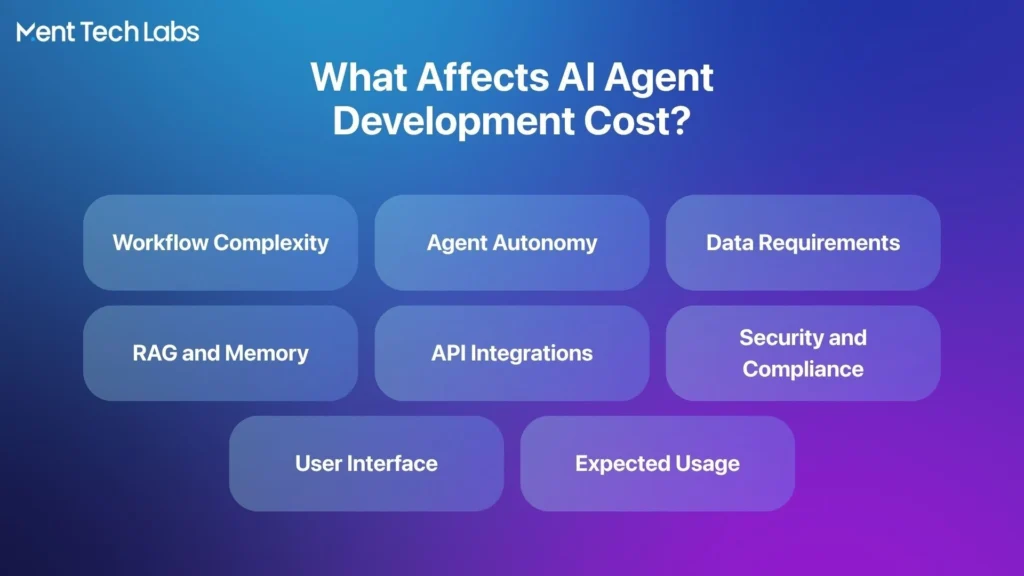
1. Workflow Complexity
This is usually the first thing that quietly inflates a budget. A simple workflow with one clear path costs far less than one full of branches, exceptions, and edge cases that need special handling.
- Number of tasks the agent has to handle in one flow.
- Decision steps where the agent has to choose between paths.
- Exception handling for the messy, non-standard cases.
2. Agent Autonomy
How much freedom you give the agent has a real effect on both cost and risk, since more autonomy means more testing and safeguards behind the scenes.
- Read-only access, where it just retrieves and reports.
- Recommendations, where it suggests but a human decides.
- Autonomous execution, where it acts without waiting for approval.
3. Data Requirements
Most teams underestimate this one going in, and it’s often where budgets quietly balloon once real data enters the picture.
- Data quality, since messy data means more cleanup work.
- Document volume, since more sources mean more processing.
- Access permissions, since sensitive data adds extra steps to handle.
4. RAG and Memory
If the agent needs to actually know your business rather than just hold a conversation, this layer becomes essential and adds meaningful engineering work.
- Knowledge retrieval from your documents or internal systems.
- A vector database to search that knowledge quickly.
- Session memory and long-term memory, based on how much context it needs.
5. API Integrations
This tends to be one of the biggest and most underestimated line items, mostly because every business system talks differently and rarely plays nice out of the box. Common points include CRM, ERP, helpdesk, and internal platforms, which is exactly why solid API Development Services matter so much here.
- Number of systems the agent needs to connect to.
- Complexity of each system’s own API or lack of one.
- Ongoing maintenance as those connected systems change.
6. Security and Compliance
Security is never optional, but how much you need depends heavily on what the agent actually touches and who it acts on behalf of.
- Authentication and role-based access control.
- Audit logs to track what the agent did and when.
- Human oversight for anything sensitive or high-stakes.
7. User Interface
A basic chat window is cheap to build. Dashboards, admin controls, and reporting views take considerably more design and development time.
- A basic chat interface versus a full user dashboard.
- An admin panel for internal teams to manage the agent.
- Analytics and reporting to track how it’s performing.
8. Expected Usage
Finally, scale matters more than most people expect until it’s actually running in production and traffic starts adding up.
- Number of users the agent needs to support.
- Daily request volume and how much context each request carries.
- Peak traffic spikes the system needs to handle without breaking.
What Features Should an AI Agent MVP Include?
The temptation with any AI agent MVP is to build everything at once, but that’s usually how timelines and budgets get away from people. Ai agents cost less and move faster when the first version stays focused on validating one thing well instead of trying to be everything from day one. Here are the six pieces that actually matter at this stage.
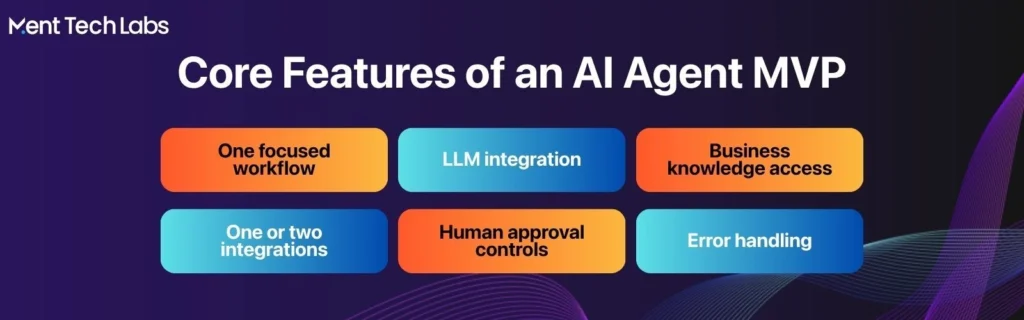
1. One Clearly Defined Workflow
Everything else in the MVP exists to support this single workflow, so it needs to be scoped tightly before any development starts.
2. LLM or AI Model Integration
This is the core engine driving the agent’s responses and decisions, and it needs to be reliable enough to handle real business conversations, not just clean demo prompts.
3. Basic RAG or Business Knowledge Access
The agent needs a way to pull answers from your actual documents or data; otherwise, it’s just guessing with generic knowledge that doesn’t reflect your business.
4. One or Two API Integrations
Rather than connecting every system on day one, the MVP should link to just the one or two tools that matter most, which is exactly where solid API Development Services earn their keep.
5. Human Approval Controls
Since this is still early-stage, sensitive or high-impact actions should route through a human before anything gets executed automatically.
6. Error Handling
Real users will do unexpected things, so the agent needs a graceful way to fail, recover, or ask for clarification instead of just breaking silently.
AI Agent MVP Development Process and Timeline
Going from an idea to a working agent isn’t some mysterious black box. It’s a fairly predictable process once you’ve seen it a few times. Most delays and budget overruns actually happen when a team rushes or skips one of these steps early on. Here’s how it usually plays out when working with an MVP development company.
Step 1: Define the Use Case
This is where everything else hinges. Get clear on the exact workflow, who’s using it, and what the real business problem actually is before anyone writes a line of code.
Step 2: Plan the MVP Scope
This is the step where discipline matters most and where most teams struggle. Pick only the features and integrations you genuinely need first, and push the rest to later, honestly.
Step 3: Design the Agent Architecture
Now the real technical decisions happen: things like the AI model, the RAG setup, memory needs, and exactly where a human needs to approve something.
Step 4: Develop the MVP
This is the build phase most people picture when they think of “development”: the agent logic, backend, interface, and whatever integrations got scoped earlier.
Step 5: Test the Agent
Before any real user touches it, the agent gets pushed through testing for accuracy, tool calls, security, and whether the workflow holds up when things don’t go as planned.
Step 6: Launch With Limited Users
Instead of a big rollout, the MVP goes live with a small group first. This is intentional; it lets you catch real problems before wider exposure.
What Are the Operational Costs of AI Agents After Launch?
Here’s the part a lot of businesses forget to budget for. The upfront build is just one piece, and operational costs of AI agents keep showing up every month after launch, whether you planned for them or not.
- Model and token usage, since every request the agent processes costs something behind the scenes.
- Cloud hosting, which keeps the agent running and accessible around the clock.
- Vector database costs for storing and quickly searching your business knowledge.
- Third-party APIs tied to whatever external systems the agent stays connected to.
- Monitoring tools so you can see what the agent is doing and catch issues early.
- Security updates, since protecting the system isn’t a one-time setup.
- Prompt and workflow improvements, an ongoing effort an AI agent development company often supports post-launch.
- Technical maintenance for the routine bugs and system changes that come up.
- Human review for exceptions the agent isn’t meant to handle alone.
A simple way to think about your first year:
First-Year AI Agent Cost = Initial Development Cost + Model Usage + Hosting + APIs + Monitoring + Maintenance
How to Choose the Right AI Agent Development Company
Picking the right partner matters more than people think, mostly because the wrong choice doesn’t show up right away. It shows up three months later as delays and a system nobody knows how to touch. Here’s what’s actually worth checking before you sign with an MVP development company.
1. Relevant AI Agent Experience
“AI development” gets thrown around loosely these days. You want a team that’s shipped agents handling real workflows, not a chatbot with a fresh coat of paint.
2. LLM and RAG Capabilities
Don’t just ask which model they use; ask how they handle retrieval and memory. Teams that only work with clean, off-the-shelf prompts fall apart once your data gets messy.
3. API Integration Experience
This is where most of the real work happens. You want a partner comfortable wiring into CRMs and ERPs, not one where every integration becomes its own drawn-out project.
4. Transparent Pricing
A good partner tells you upfront what’s included and what you’ll keep paying after launch, instead of handing you one number and hoping you don’t ask questions.
5. Post-Launch Support
An MVP isn’t the finish line; it’s the start. Make sure whoever you pick sticks around for fixes and improvements once real people are using it.