Business information comes in different formats. A customer could send a screenshot, a voice message or a file. Multimodal AI Agents are able to look at images, hear audio and read text all at once to figure out what is going on and then choose the step to take.
These agents handle text, images, audio and video to assist businesses in reviewing documents answering customers and looking at data. They cut down on tasks, in healthcare, finance, manufacturing and customer service.
So, where do these agents make a difference? What does it take to build one? We will look at use cases compare seven leading agents explain the development process and explore what lies ahead.
What Are Multimodal AI Agents?
Multimodal AI Agents are systems that can work with types of information such, as text, images, audio and video. They don’t just answer questions. They can examine the details understand how the information fits together and decide what needs to happen. When connected to business tools they can also carry out tasks based on what they find.
For example, a technician might share a photo of a machine and also record an odd noise coming from it. A multimodal AI agent can look at both the photo and the audio. It can also search through maintenance logs and point out likely reasons, for the issue. This helps technicians understand the problem faster. They don’t have to go through every report by hand. It saves time. Gives them a clearer view of what might be wrong.
What Makes Multimodal AI Different From Unimodal AI?
The main difference lies in how they process information. Unimodal AI manages one kind of data like text or images or sound while multimodal AI handles kinds of data at the same time so it can see a bigger picture.
For example, a unimodal system might read a customer complaint. Multimodal agents can also look at attached images and documents. This gives businesses a picture of the issue. It helps them understand the problem better It leads to more informed decisions.
| Feature | Unimodal AI | Multimodal AI |
| Data Input | Handles one data format | Handles multiple formats |
| Data Processing | Analyzes a single input type | Connects information across formats |
| Context | Limited to one modality | Combines context from several modalities |
| Applications | Text analysis, image recognition | Visual assistants, document analysis |
| Complexity | Simpler to develop | Requires more integration and testing |
| Best For | Single-format tasks | Tasks involving mixed data |
Real-World Use Cases of Multimodal AI Agents
Multimodal agents help businesses manage images, documents and audio. With computer vision development services multimodal agents can also analyze data. Here are six practical use cases.
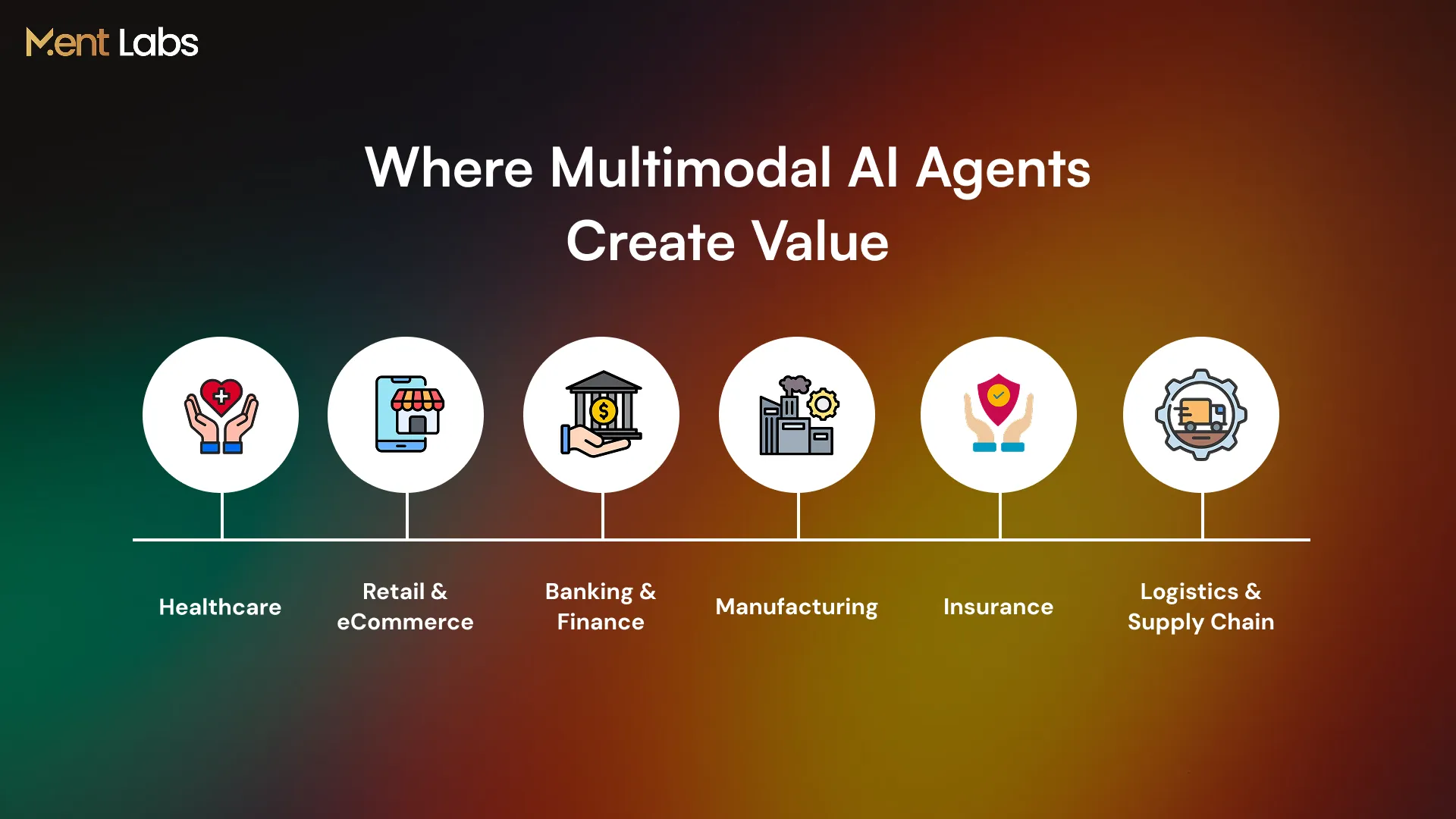
1. Healthcare
Doctors usually look at scans, lab reports and patient histories, in separate parts. Multimodal agents can combine these records into one view point out anything and create clear summaries. This helps doctors get a picture before making treatment choices.
Also read: Healthcare Data Management and AI’s Role in the Future of Data Management
2. Retail and eCommerce
Shoppers can upload pictures of products to find items without searching by name. Retail and eCommerce helpers can check if items are, in stock suggest options and answer product questions to make shopping easier.
3. Banking and Finance
Banks deal with transaction records, identity documents, and customer details every day. Multimodal agents can compare this information, spot unusual activity, and flag suspicious transactions. This helps fraud teams investigate cases without checking every record manually.
4. Manufacturing
Multimodal agents can look at machine images listen to sounds and check sensor data to find faults. This helps maintenance teams spot issues early and plan repairs before they become problems.
Also read: How to Implement Agentic AI in Your Business?
5. Insurance
Multimodal agents review damage photos, policy documents and customer statements. Multimodal agents look for missing details. Organize claims. This helps insurance teams finish cases faster.
6. Logistics and Supply Chain
Multimodal agents can review delivery photos scanned labels and shipment records to spot discrepancies. Multimodal agents help logistics teams resolve issues with damaged, missing or incorrect deliveries quickly.
Top 7 Multimodal AI Agents in 2026
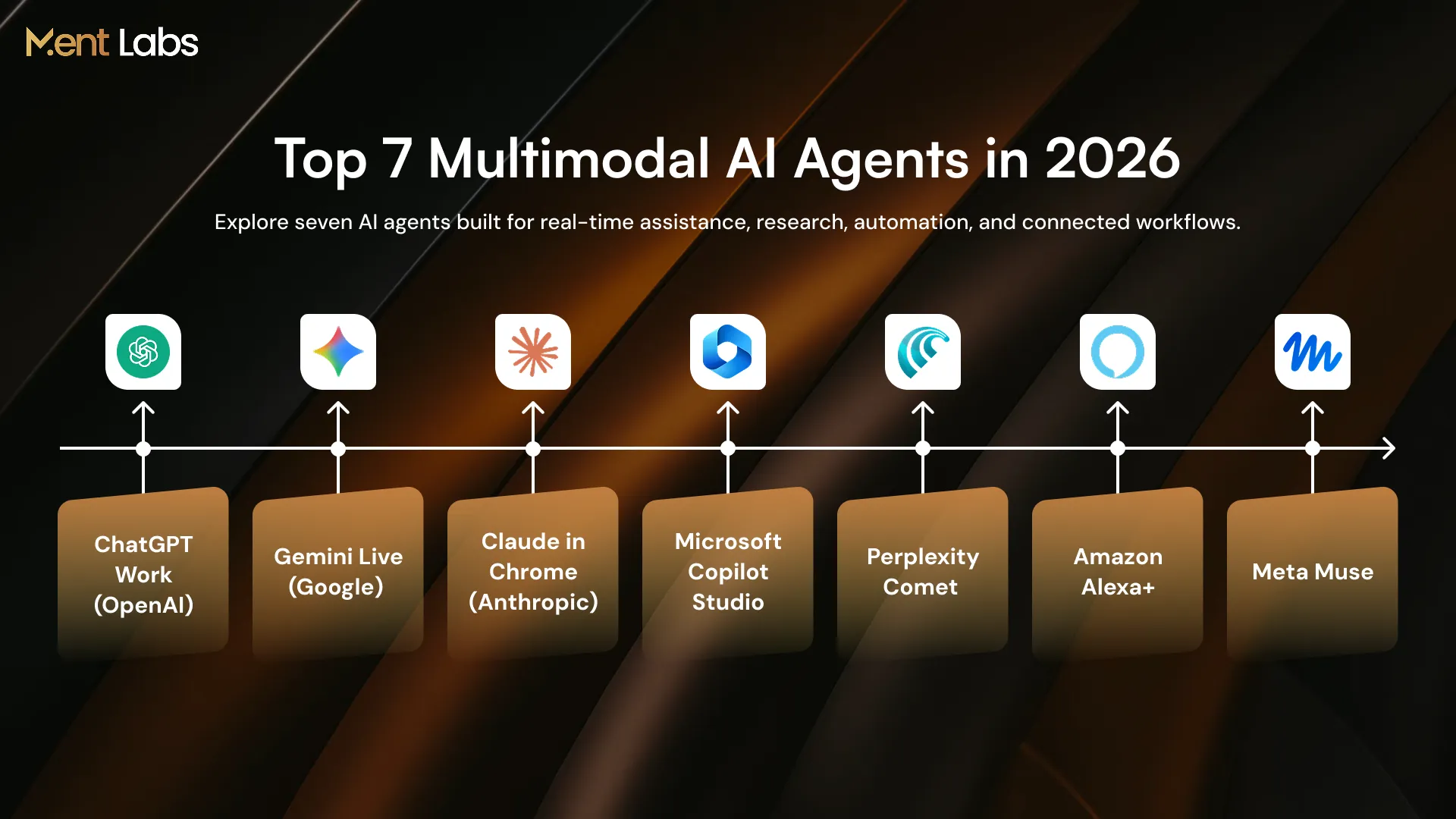
Several multimodal agents can now understand different types of information and carry out tasks through connected tools. For businesses building similar systems, NLP development services can help agents understand text and spoken requests. Here are seven worth exploring in 2026.
1. ChatGPT Work (OpenAI)
ChatGPT Work can analyze images, documents and other files while working across applications. It helps teams research information prepare reports and complete tasks involving systems.
2. Gemini Live (Google)
Gemini Live lets users share their camera view, screen or voice to get assistance in real time. Gemini Live can also work with Google apps to manage schedules, reminders, and other tasks.
3. Claude in Chrome (Anthropic)
Claude in Chrome, by Anthropic, can look at web pages, read screenshots and work with websites. It helps people fill out forms, collect information and deal with tasks that repeat over and over in the browser.
4. Microsoft Copilot Studio
Microsoft Copilot Studio helps businesses create agents that follow instructions and work with software using easy-to-use visual tools. These agents can manage tasks, like data entry, process invoices and run workflows across apps.
5. Perplexity Comet
Perplexity Comet brings together web browsing and an assistant that can understand what’s on the page. It works with text, images and voice commands. It can look at information, across tabs move around websites and finish tasks directly in the browser.
6. Amazon Alexa+
Alexa+ uses voice, text, and visual screens that it supports to help people handle chores. Alexa+ can turn on gadgets, set up calendars, book appointments, and help with buying things. I find Alexa+ very useful for keeping my day running.
7. Meta Muse
Meta Muse is a helper that talks with you links to other apps and deals with things, like saved Instagram videos. Meta Muse can set up plans make shopping lists and finish tasks when you say.
Comparison of the Top 7 Multimodal AI Agents
| AI Agent | Company | Supported Inputs | Key Capabilities | Best For |
| ChatGPT Work | OpenAI | Text, images, documents, app data | Research, reports, multi-step tasks | Enterprise knowledge work |
| Gemini Live | Voice, images, camera, screen | Real-time assistance, connected app tasks | Visual and voice assistance | |
| Claude in Chrome | Anthropic | Text, screenshots, web pages | Browser navigation, form filling, web tasks | Browser automation |
| Microsoft Copilot Studio | Microsoft | Text, images, business data | Custom agents, workflow automation, app integration | Enterprise workflows |
| Perplexity Comet | Perplexity | Text, images, voice, web content | Research, web navigation, information gathering | Web research |
| Amazon Alexa+ | Amazon | Voice, text, supported visual inputs | Smart device control, shopping, reservations | Voice-based assistance |
| Meta Muse | Meta | Text, conversations, connected content | Planning, organizing information, app-related tasks | Personal assistance |
How to Build a Multimodal AI Agent From Scratch
Building a multimodal AI agent needs the model, processing of data and integrating systems. Here are six steps to begin.
Step 1. Define Your Use Case
Begin by figuring out the problem your agent is meant to solve. Think about whether it will manage customer requests look through documents or check images. This step is important because it shows you what abilities the agent needs to have.
Step 2. Choose Your AI Model
Choose a model that works with the data you need whether that is text, images, audio or video. GPT and Gemini are options looking at but check their accuracy, speed and costs before deciding.
Step 3. Prepare Your Data
Make sure the agent can read and understand the information it receives. This might involve turning voice recordings into text pulling out text, from files or looking at images to get details. The agent has to process everything so it can work with the data.
Step 4. Connect Tools and Build Workflows
Connect the agent to your databases, APIs and business software. Next decide how the agent fetches information how the agent keeps a record of interactions and how the agent performs tasks.
Step 5. Test Accuracy and Security
The user wants to check how the agent handles images, incomplete documents and noisy recordings. The user wants to set access limits protect information and keep human approval in place, for sensitive actions.
Step 6. Deploy and Monitor
Once the agent passes testing bring it into your workflow. Watch closely how accurate it is, how fast it responds and how much it costs to run. Fix any issues that come up while using it every day.
The Future of Multimodal AI Agents
Multimodal AI Agents are moving beyond chats to handle everyday business tasks. Multimodal AI Agents can work with text, images, audio and video and RAG development services help Multimodal AI Agents access company information.
1. Advanced Multimodal Models: Newer models will become better at understanding text, pictures, sounds and films together helping Multimodal AI Agents handle more detailed requests, in many industries.
2. Real‑Time Multimodal Processing: Multimodal AI Agents will look at video, voice and visual data more often letting them reply while people talk while inspectors check equipment and in other urgent jobs.
3. Autonomous Agent Workflows: In the future, Multimodal AI Agents will be able to work through linked applications pull information and finish multi‑step jobs with manual instructions while people still keep control.
As these abilities grow businesses will have chances to tackle complex work and cut down on repetitive tasks. With the right enterprise AI integration services, organizations can link Multimodal AI Agents to their systems and use their powers in real life.
Conclusion
Multimodal AI Agents are helping businesses handle information that comes in different forms. Whether its looking at records, checking insurance claims or finding issues in machines, these agents can manage tasks that normally take a lot of time and work. These agents can only be successful if the right technology is chosen, if the right systems are connected and if important information is kept safe.
At Ment Labs, we help businesses design and build intelligent agents that fit their existing systems and business needs. Our AI agent development services cover everything from planning and development to integration and deployment. Looking to build a multimodal agent for your business? Contact us to discuss your requirements with our team.