Introduction
AI models can answer questions. Suggest solutions. AI models need more than that to get actual work done. An agent harness gives AI models access to the tools, information and controls to carry out tasks.
An AI agent harness assists agents in connecting with systems using tools and managing tasks from start to finish. The AI agent harness also keeps track of agents’ work. Helps agents recover when something does not go as planned.
In this blog, we’ll look at how AI agents differ from agent harnesses, their key components, and architectural patterns. We’ll also cover eight building blocks and walk through how to build an AI agent harness step by step.
Note: AI Agent = AI Model + Agent Harness. The model figures out what needs to be done, while the harness makes it possible by connecting tools, managing workflows, and keeping every action on track.
What Is an AI Agent Harness?
An AI agent harness gives AI models what they need to get work done not just answer questions. It links them to tools, files and other systems. This lets the models follow instructions, complete tasks and work with help, from humans.
For example, if you ask an AI agent to fix a bug in your code the harness helps that AI agent open the files make changes, run tests and check if the fix worked. The agent harness also keeps track of what’s happening, manages errors and sets limits, on what that AI agent can access or change.
AI Agents vs. Agent Harnesses: Key Differences Explained
AI agents decide what to do. The agent harness manages the tools, rules and steps needed to get the job done. With MCP server integration services businesses can connect AI agents to tools and data securely and MCP server integration services keeps the connection safe.
| Feature | AI Agents | Agent Harnesses |
| Primary Function | Understand tasks, make decisions, and plan the next steps. | Manage tools, system connections, and task execution. |
| How They Work | Use AI models to choose actions based on available information. | Follow configured workflows, permissions, and execution rules. |
| Responsibility | Decide what to do and adjust plans when needed. | Manage access, maintain task history, and check execution results. |
For example, if an AI agent looks at a delayed order, the harness lets it get the order information and follow what needs to be done. This makes agent harnesses helpful when dealing with different systems.
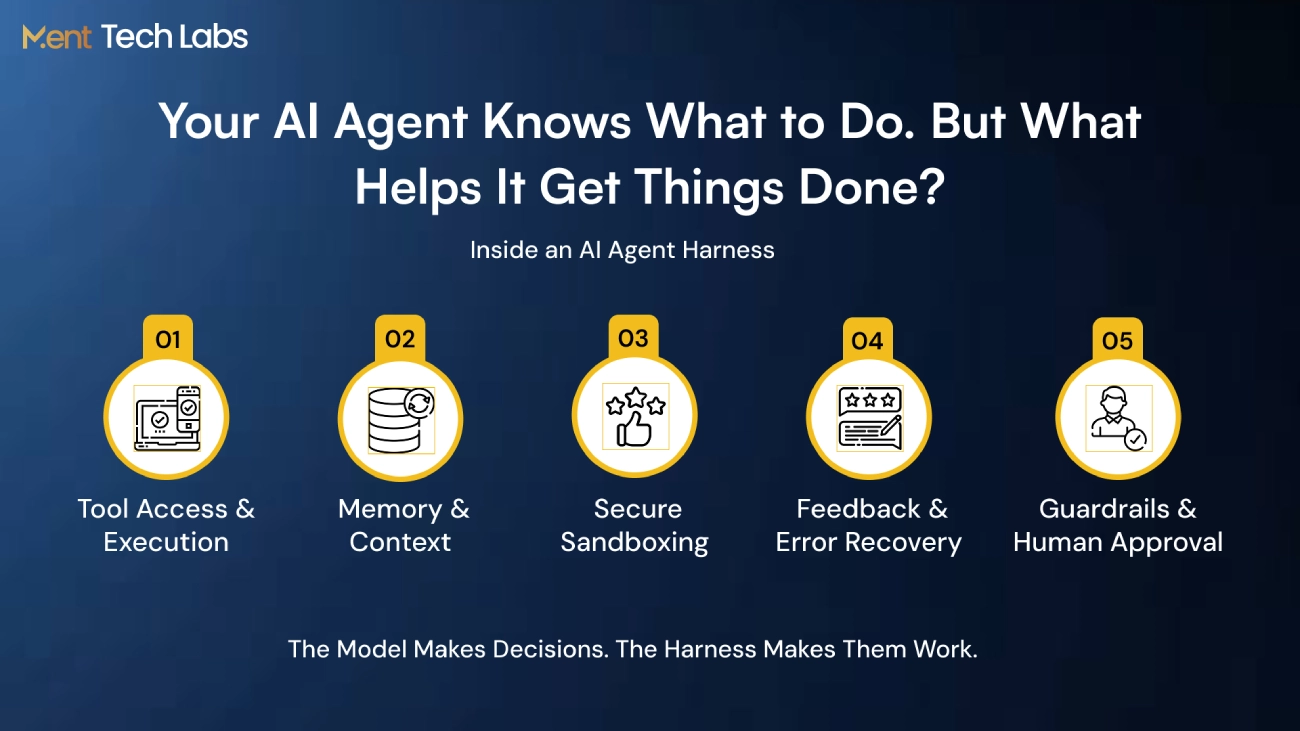
5 Core Components of an AI Agent Harness
An agent harness has several parts that work together to help AI agents use tools, complete tasks, and deal with errors. Here are five key components and what each one does.
1. Secure Code Execution
AI agents might need to open files, run code or use system commands to complete a task. A harness gives them a controlled space to do this in a safe way. It also places restrictions on which files and systems they can access or modify.
2. State and Memory Management
Some tasks require steps to finish, and AI agents must remember what they have already completed. I find this component very useful because it records conversations, completed steps, and results. With that information AI agents can pick up where they left off of starting over again.
3. Tool Access and Execution Control
AI agents use APIs, databases, and other tools to complete tasks. The harness manages these connections, controls access, and handles errors. This is useful in AI workflow automation services, where agents work across different systems.
4. Context and Information Management
Much information can confuse an AI model and affect its work. This component helps the agent focus on what matters by giving it the instructions, files and data without adding unnecessary information.
5. Feedback and Error Correction
AI agents can make errors. Skip a step when they are working. A harness is used to find these problems by running tests and looking at the outcomes. If something is not right, the agent can use the information it gets to correct the issue and try again.
Architecture Patterns for Agent Harnesses
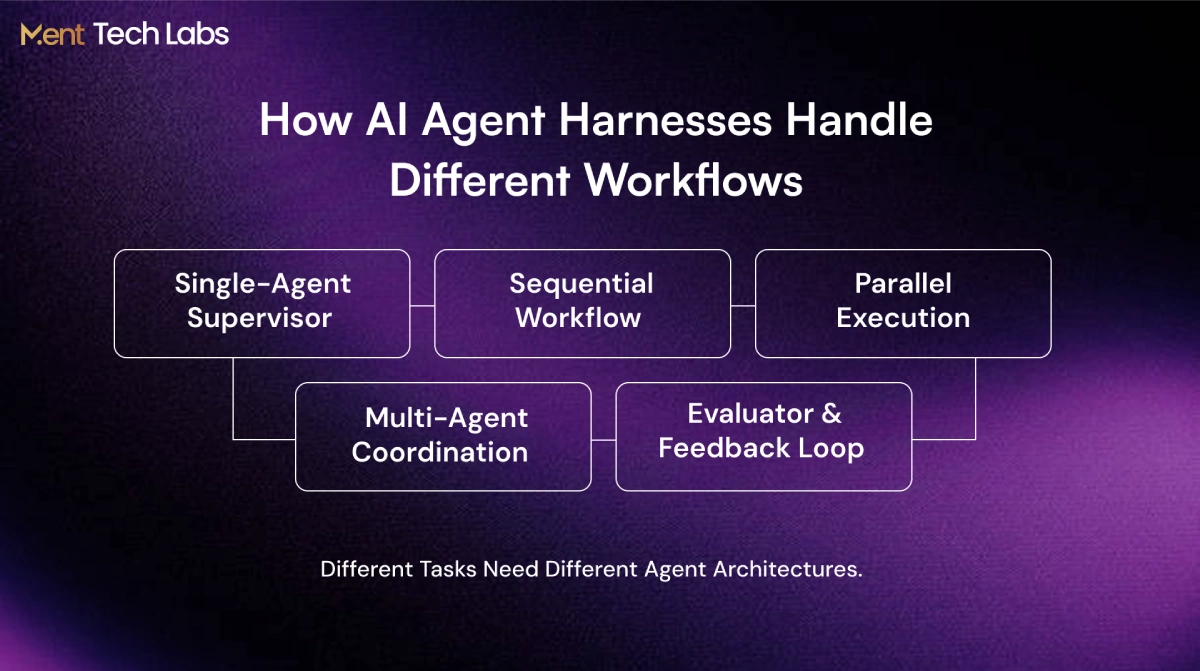
The way a harness for an agent is made depends on the type of work it has to do. One agent might be enough for jobs, but larger projects might require many agents working as a team. Here are five common ways to structure this.
1. Single-Agent Supervisor
Here one agent takes care of a task while the harness keeps track of progress and handles any errors. This way of working is effective, for customer support updating records and building AI copilot services.
2. Sequential Workflow Architecture
This pattern works when tasks have to be done in an order. One step has to be finished before the next one can start. For example an agent might collect customer details check the information and then update the CRM. The harness makes sure the steps are, in order.
3. Parallel Agent Execution
With this setup many agents can work on tasks at the same time. The harness records what each agent is doing and gathers the results of all agents when the work is finished.
4. Multi-Agent Coordination
When projects are large agents can divide the work. A supervisor can keep an eye on tasks and progress. For example one agent researches, another agent. A third agent reviews the content before the content is published.
5. Evaluator and Feedback Loop
An agent might not get it right the time. In this setup one agent does the task and another agent reviews the results. If something is missing or incorrect the first agent gets feedback. Makes the necessary changes.
8 Essential Building Blocks of a Production-Ready AI Agent Harness
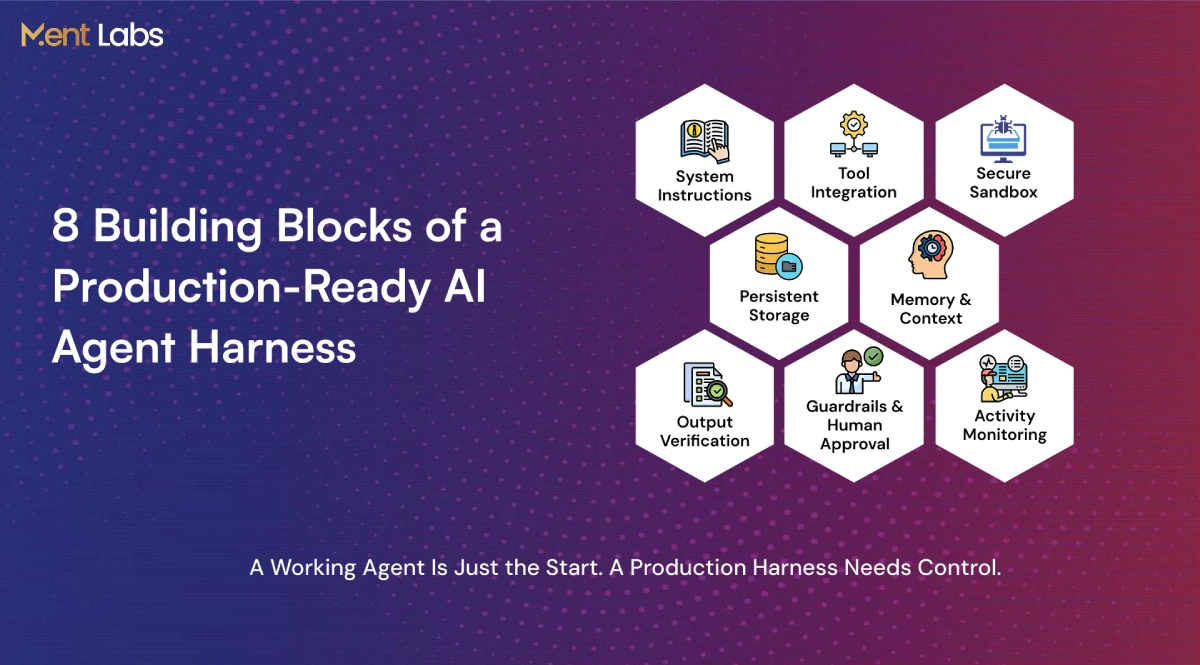
A system that is ready for use needs more, than just a smart AI. These eight important parts help agents use tools, handle jobs and work in a way.
1. System Prompts and Instructions
System prompts explain what an agent needs to do how an agent should work and what rules an agent must follow. Clear instructions help an agent stay on task and help an agent avoid making changes.
2. Tool Integration and Execution
Agents use tools to find information work with databases or run commands. The harness handles these tools. Passes the results back, to the agent so the agent can continue working.
3. Secure Sandbox Environment
A sandbox allows agents to have their special area where they can run code and test changes. They can experiment without causing any issues to the system. If there is a problem it stays inside that area. Doesn’t spread anywhere else.
4. Persistent File Storage
Agents use storage to save code, notes and unfinished tasks. This lets Agents pick up where they left off in a new session.
5. Memory and Context Management
Agents need to remember what agents have done and what information agents have used. The harness keeps track of steps and important details so agents can keep working without losing track.
6. Feedback and Output Verification
The harness looks at what an agent does, by running tests and checking the results. If it spots an issue the agent gets feedback. Then the agent can fix the problem before moving on to finish the task.
7. Guardrails and Human Approval
Some tasks deal with information or changes that must be approved. Rules restrict what an agent is allowed to do. People check important actions before they take place.
8. Monitoring and Activity Logs
Activity logs help teams see what agents are doing, which tools they’ve used, and where errors occurred. This makes it easier to track progress and fix problems when something goes wrong.

How to Build an AI Agent Harness Step by Step
Building an agent harness requires more, than linking an AI model to tools. You have to think about how the agent will function manage problems that come up and make sure the outcomes are correct. Here are eight steps to create one.
Step 1. Define the Task and Expected Results
Begin by deciding what the agent must do such as correcting coding errors or updating customer records. Set goals, for the agent and decide how you will measure whether the task was finished correctly.
Step 2. Select the AI Model and Agent Framework
Select a model that suits your needs for example Claude, GPT or Gemini. After that select a framework such, as LangGraph, Claude Agent SDK or OpenAI Agents SDK to handle the agents workflow.
Step 3. Set Up Agent Instructions and Context
Write instructions that explain the role of the agent the responsibilities of the agent and the limits of the agent. For Claude Code projects a CLAUDE.md file can help the agent understand the project rules, the coding standards and the testing requirements.
Step 4. Connect Tools and Configure Permissions
Connect the APIs, databases and files that your agent needs to finish tasks. For existing business systems enterprise AI integration services can help link agents to business applications. This keeps access, under control.
Step 5. Build the Agent Execution Loop
Create a process in which the agent selects an action. Then the agent uses a tool. After that the agent checks the result before the agent continues. The process must also have limits that stop the agent from repeating failures or, from making tool calls.
Step 6. Add State Management and Recovery
Save task progress important details and tool results so that the agent can continue without losing the agents work. Checkpoints also help the agent pick up where it left off if something fails.
Step 7. Set Up Security Controls and Approvals
Give agents access, to the systems and data they need. Use sandboxes for operations. Require approval before making sensitive changes.
Step 8. Test, Deploy, and Monitor the Harness
Test the harness with tasks and situations where things might go wrong. Once the harness is running I will track errors, costs and task success rates to see what the harness needs fixing.
Conclusion
An agent harness helps AI agents work with tools, handle tasks, and connect with different systems. However, building one involves more than setting up a model and connecting a few tools. Teams need to think about security, permissions, error handling, and how the agent will perform when something goes wrong. Getting these details right can save time and prevent problems later.
At Ment Tech, we help businesses develop AI agents that can handle everyday operations without putting sensitive systems at risk. Through our AI security and red teaming services, we test agent behavior, find security weaknesses, and help fix issues before deployment. Contact us to discuss your project and find out how we can help you build a safer, more reliable AI system.